



As Microsoft licenses they are among the most recurring technological investments in medium and large companies, but also among the most underused.
Paying for a plan that covers advanced security, automation, and artificial intelligence features, effectively using only email and Word, is a silent waste that appears on the bill every month without anyone realizing exactly how much is being left behind.
In this way, the choosing the right plan and activating the available features directly impact operating costs, security posture, regulatory compliance, and teams' productivity.
Understanding this equation, however, requires more than comparing list prices, since it is necessary to see what each plan delivers, what each user profile actually needs, and how to extract real value from each contracted license.
And that's all that is contained in today's article. Follow up.
When a company defines its plan for Microsoft licensing based solely on the monthly cost per user, you're making an incomplete decision.
And yes, the price matters, of course, but the true impact of the choice is measured in terms of available security, accessible tools, compliance with regulations such as the LGPD, and the ability to scale the operation without switching platforms along the way.
Consider a fairly common situation, for example, a company with 80 employees contracts Microsoft 365 Business Basic for the entire team, mainly because of the reduced cost.
Over time, you notice that collaborators install desktop versions of Office on their own, using personal licenses or even pirated versions, because the contracted plan offers only the online version of the applications.
At the same time, the IT team discovers that the threat protection, device management, and conditional access policies features it needed to ensure the security of the environment are only available on higher plans.
The result is a higher final cost than it would be with the right choice from the start, added to a window of vulnerability that remained open throughout the period.
This pattern is often repeated because licensing decisions rarely involve Who deeply understands the Microsoft ecosystem.
This is because they tend to happen between the financial, who sees the cost line, and the IT, who often does not have time to map out what each plan actually delivers and how this translates into gain or risk for the business.

The family Microsoft 365 it is structured in two main lines: the Business line, aimed at organizations with up to 300 users, and the line Enterprise, designed for large corporations with no user limit and with even more comprehensive governance, compliance, and security features.
In that sense, understanding what each tier offers is the first step in making an intelligent licensing decision.
Check it out:
The entry plan for the Business line offers access to the online versions of the Office applications, Microsoft Teams, Exchange Online for corporate email, SharePoint, and OneDrive with 1 TB of storage per user.
IT IS suitable for teams that work predominantly in a browser, with no need to install apps on the device, and whose security demands are relatively simple.
However, it doesn't include the desktop versions of the Office apps, nor the advanced features of endpoint protection, device management, or granular conditional access policies.
It should be noted that it is an option for companies that have a more discreet budget and yet need all the advantages of the tools that Microsoft can offer.
This provides greater democratization of access to technologies and smaller companies or companies that are in the beginning can use resources that guarantee better efficiency in production and operation.
The Standard Add installable desktop versions of Word, Excel, PowerPoint, Outlook and other applications to Basic, plus additional functionality for webinars in Teams and expanded SharePoint features.
It's the most balanced choice for teams that need full desktop productivity and advanced collaboration, but still without the corporate security controls available on the top floor.
It should be noted that it is possible to incorporate defense and cybersecurity systems in a personalized way and compatible with technological maturity, even if they are solutions other than M365.
Including these solutions and personalization that Frayha dominates!
Premium is the most complete plan in the Business line and the one that, in practice, makes the most sense for most companies that take security seriously.
In addition to everything that Standard offers, it includes Microsoft Defender for Business for advanced endpoint protection, Microsoft Intune for device management and compliance, Microsoft Entra ID P1 for conditional access, and identity management, in addition to Azure Information Protection for classification and encryption of sensitive data.
These features, in fact, are exactly what allows you to implement policies such as Zero Trust, robust MFA, and DLP natively, without relying on third-party solutions.
For organizations with more than 300 users or with more demanding compliance requirements, the Enterprise line offers capabilities that go beyond what the Business line provides.
E3 expands governance, data retention, eDiscovery, and advanced identity management features.
E5, in turn, is the most comprehensive plan in the Microsoft ecosystem, incorporating Microsoft Defender XDR for multi-layered threat detection and response, Microsoft Purview with advanced compliance, Microsoft Entra ID P2 with risk-based identity protection, and Microsoft Sentinel for cloud native SIEM.
In other words, for companies with high security maturity or in highly regulated sectors, E5 centralizes a set of tools that, purchased separately, would cost considerably more.
In addition to the basic plans, Does the Microsoft ecosystem offer add-ons, the so-called add-ons, which allow you to expand specific capabilities without necessarily migrating the entire environment to a higher plane.
These add-ons are especially relevant when a company already has a consolidated plan, but it identifies specific gaps that need to be addressed.
Shall we meet them?
· EMS (Enterprise Mobility+ Security): package that combines Microsoft Entra ID, Intune, Azure Information Protection, and Microsoft Defender for Identity, being an efficient way to add identity control, device management, and information protection to environments that do not yet include these features natively.
· Microsoft Defender for Office 365: extends corporate email protection with Safe Links, Safe Attachments, and threat investigation and response resources, protecting users against advanced phishing, malware, and corporate email compromise campaigns.
· Microsoft Purview (compliance add-ons): for companies with specific data retention obligations, advanced auditing, and compliance with regulatory frameworks, Purview add-ons allow you to expand data governance capabilities without migrating to the full E5.
· Microsoft Copilot for Microsoft 365: Microsoft's artificial intelligence add-on that integrates text generation, meeting synthesis, task automation, and data analysis features directly into Teams, Outlook, Word, Excel, and PowerPoint. Available as an add-on for qualified Business and Enterprise plans, but requires a well-configured environmental base to deliver real value.
It is worth noting that the choose between migrating from plan or adding specific add-ons depends on a careful analysis of what each user really needs, because distributing licenses homogeneously throughout the company, without considering different usage profiles, is one of the main sources of waste in Microsoft licenses.
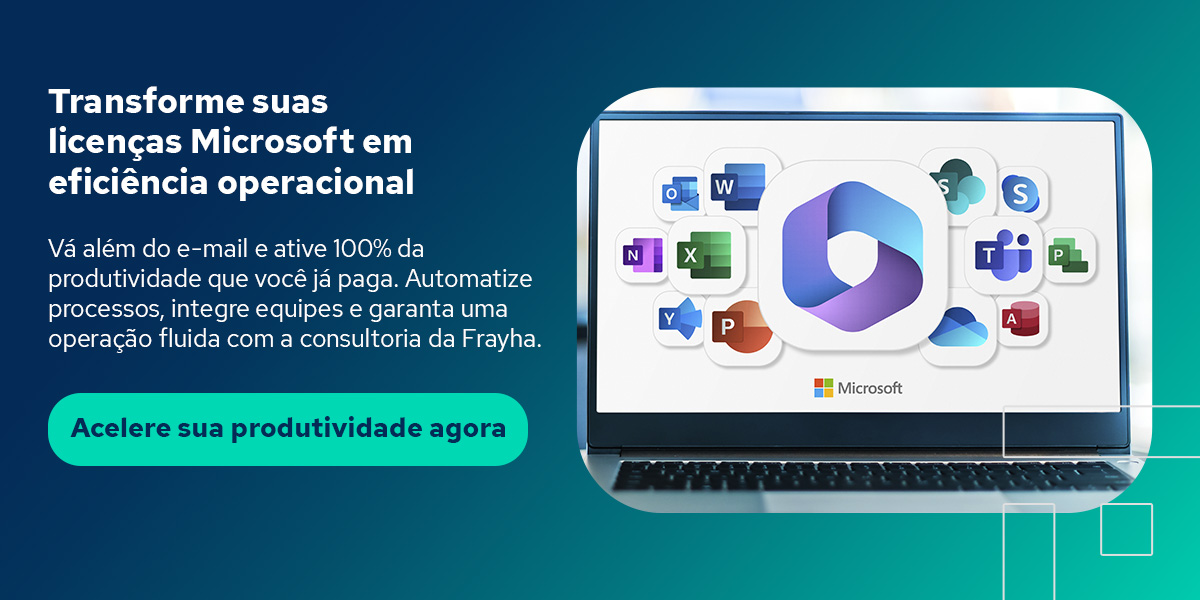
Having active Microsoft licenses doesn't mean the tools are being used. In most cases, the gap between what the plan offers and what the employees actually use is considerable, and closing it does not require new hires, since it requires configuration, integration and structured adoption of the tools already available.
With that in mind, we brought some points of consideration about some resources:
SharePoint, when properly structured, works like documentary governance base of the organization: folders organized by area, granular permissions by job profile, automatic document versioning, and approval flows integrated with Power Automate.
Integrated with Teams, it transforms each channel into a complete workspace, where communication, documents, and tasks coexist without requiring the collaborator to switch between multiple tools.
Gifts to us Microsoft 365 Business Standard plans and higher, Power Apps and Power Automate allow you to create customized applications and automate workflows repetitive without relying on traditional software development.
A vacation request, a purchase approval process, a supplier onboarding form, all of these processes can be digitized and automated with tools that are already part of the contracted license.
However, this requires someone who knows these tools and knows how to configure them according to the company's real processes.
O Microsoft Copilot is a high-value add-on, however, it has a high cost per user, and its real impact depends directly on the quality of the environment in which it is implemented.
Companies with disorganized SharePoint, dispersed data, and without classification policies hardly extract value from Copilot, because it depends on well-structured and accessible data to generate accurate answers.
In this sense, preparing the environment for Copilot, organizing SharePoint, reviewing permissions, classifying documents, and structuring knowledge bases, is a prerequisite that often generates productivity gains even before Copilot is activated.
Microsoft Licensing Management well-conducted is the practice of continuously aligning the portfolio of contracted licenses with the real needs of the operation, reviewing usage profiles, identifying underused resources, eliminating unnecessary licenses and activating features that are already paid and available.
The results of this practice are concrete and measurable:
· Cost reduction for the elimination of licenses assigned to inactive or disconnected users that were never revoked;
· Activating available security features in the contracted plan, but never configured, such as MFA, conditional access and DLP;
· Adaptation of the plan to the real profile of each user, avoiding both oversizing and functional limitation;
· Planning upgrades in advance, avoiding emergency migrations and negotiating better conditions with the manufacturer;
· Clarity about what's available to activate at no additional cost, especially underused collaboration and automation features.
This practice, however, requires continuous monitoring, in-depth knowledge of the Microsoft ecosystem, and the ability to translate the technical portfolio into decisions that make sense for the business, including to justify investments to the CFO or board of directors.
Frayha acts as a strategic partner that goes beyond simply reselling licenses, focusing on consultative management and the continuous optimization of the Microsoft environment.
The work involves everything from the detailed mapping of usage profiles to the structured activation of security features that are often already paid for and remain inactive.
By choosing Frayha's specialized support, your company guarantees:
· Technical Diagnostics: accurate analysis of the needs of each user group to recommend the ideal plan, avoiding wasting resources;
· Security Activation: implementation of critical layers such as robust MFA, DLP (Data Loss Prevention), and Zero Trust policies;
· Governance and Compliance: structuring SharePoint environments with appropriate information architecture and audit trails to comply with the LGPD;
· Preparing for Innovation: environmental planning for the sustainable adoption of new technologies, ensuring that investment in artificial intelligence delivers concrete results from day one.
A Frayha is a certified Microsoft partner, working in the licensing management, implementation, and optimization of Microsoft 365 environments with a focus on security, productivity, and governance.
This means that the work does not end with the sale of the license, since it begins there, with the analysis of the current environment, the mapping of the usage profiles, the recommendation of the most appropriate plan for each group of users, and the structured activation of the available resources.
In fact, for companies that want to prepare for Copilot, Frayha conducts the work of structuring the environment necessary for the tool to deliver value real from the first day of use.
Because paying for Microsoft licenses and using only a fraction of what they offer is, in the end, paying more for less security, less productivity, and less governance than the investment could provide.
Request a free diagnosis and discover how to optimize your Microsoft licensing with the support of those who manage more than 1,300 users in the Microsoft ecosystem every day.

Learn when to hire IT consulting, the difference between reactive support and strategic maintenance, and the criteria for choosing the right partner.

Antivírus comum não basta mais. Veja como unir antivírus, firewall e IA para proteger sua empresa de verdade. Leia!

Learn the importance of cloud backup because the provider doesn't guarantee everything. Understand the real risk and what to do about it. Read on!

Schedule a conversation with our experts and discover how we can protect and boost your business, with no obligation.